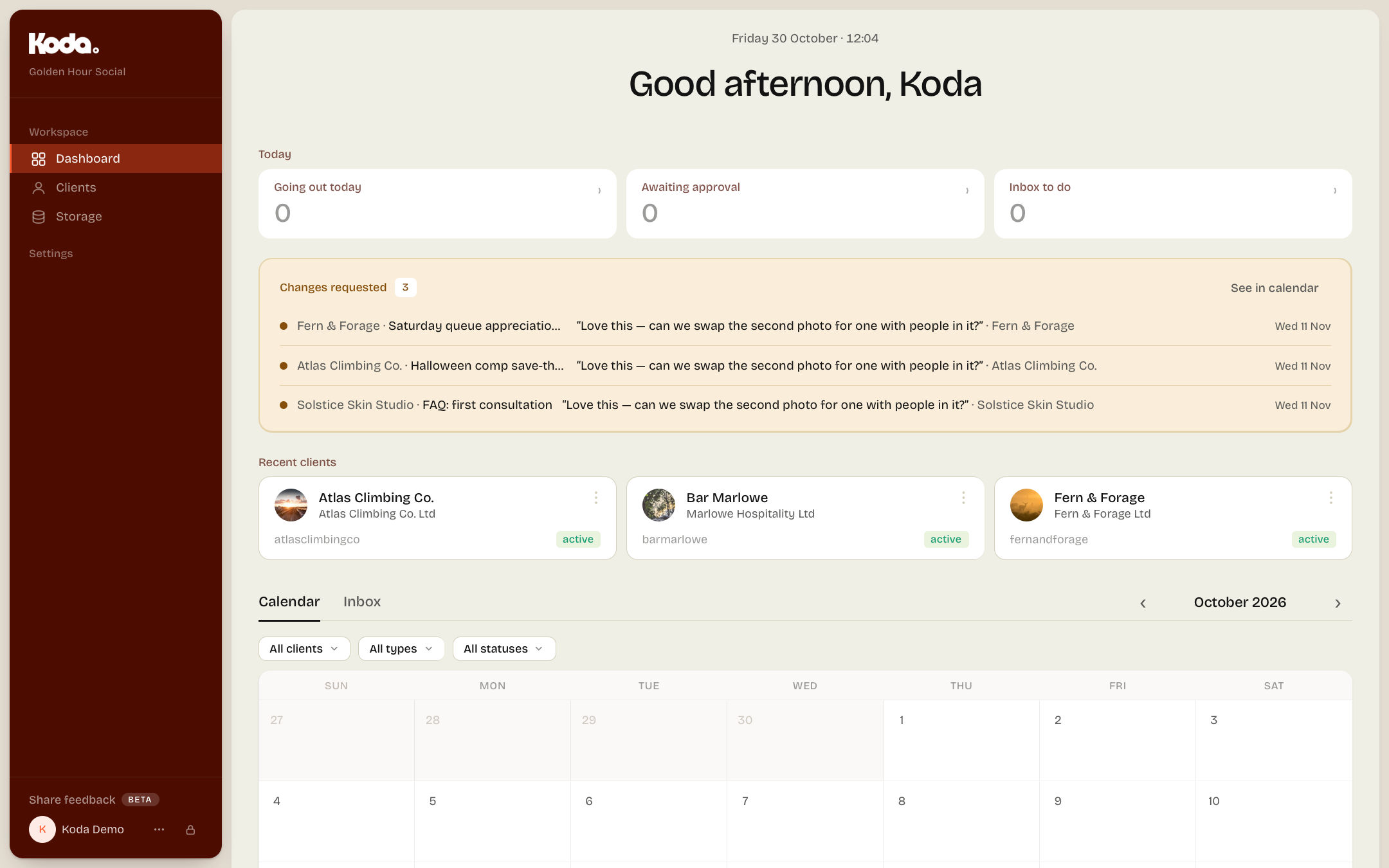
An overview of Koda, how your workspace is organised, and where to find help for each part of the app.
Koda is a social media CRM for freelance social media managers and small creative agencies. It keeps each client's calendar, approvals, inbox, content ideas, analytics and brand notes in one place, so you're not juggling a planner, a shared drive and five native apps.
VIDEO How Koda is organised
Everything in Koda belongs to your organisation (your studio, agency or freelance business). Inside it:
Clients are the brands you manage. Each client has its own calendar, inbox, media library, brand profile and connected social accounts.Your team are the people who work in Koda with you. Admins run the organisation; staff work on the clients they've been given.Client viewers are your clients' own logins. They see only what you share with them, such as posts waiting for their approval.You move between a workspace-wide view (your dashboard, client list and settings) and a single client's workspace. Finding your way around explains both.
Getting set up
If you're new, start here. The quick start takes you from sign-up to your first scheduled post.
Quick start Go from signing up to your first scheduled post: the sign-up questions, your free trial, your first client and your first post. Add a client Use the add-client wizard to set up a new client, let Koda scan their website, invite them as a viewer and connect their social accounts. Finding your way around How the sidebar works in Koda: the workspace view, a client's workspace, the client switcher, and collapsing the sidebar. The dashboard What the workspace Dashboard shows: today's numbers, changes your clients have asked for, recent clients, and a combined calendar and inbox across every client. The Koda iPhone app What the Koda Social app for iPhone does, how push notifications work, and what you still need the website for. Connect your clients' accounts
Publishing, analytics and the inbox all run through each client's connected accounts: Instagram, Facebook Pages, TikTok, LinkedIn and YouTube.
Plan and publish
Build the calendar, write posts once for several platforms, and let Koda publish them at the right time, or remind you to post by hand.
Approvals
Send posts to your client for sign-off. They can approve or ask for changes from their own login or a no-login link.
Create content
Plan shoots, write captions in each client's voice, and keep ideas and references together.
Shoot plans Plan a shoot day as one page: videos in running order, timings, plan notes, AI-filled briefs, comments and sharing with your client. AI captions Generate on-brand captions, rate and edit them to teach Koda the client's voice, and write reel captions from what's said in the video. Content ideas Generate content ideas one card at a time, swipe to steer them, save the good ones and turn them into a shoot plan. Media library Keep each client's photos, videos and PDFs in folders, use them in posts, download originals and understand storage limits. Set up a client's brand Fill in the Brand tab from the client's website and brand guidelines PDF, add example captions and set tone, rules and visuals for the AI to follow. Inbox and insight
Reply to Instagram comments and DMs, see how posts perform, and send branded monthly reports.
Inbox overview How the inbox collects Instagram comments, Instagram DMs and Facebook Messenger chats in one place, and how To do, Replied and Done work. Analytics overview What the Analytics tab shows for each connected platform, how the period picker and comparisons work, and why the first load can take a few seconds. Client reports Build a branded performance report for a client, add your own notes, and view it or email it as a link your client can open without logging in. Competitors Track a client's Instagram competitors and rival Facebook Pages, compare engagement in a ranked benchmark, and get an AI overview of the competitive landscape. Listening Watch Instagram hashtags and see posts that tag your client, all in one feed, with the limits that apply. Team and account
Invite your team, decide what each person can do, connect Claude, and manage your storage, account and billing.
Invite and manage your team Invite teammates to your Koda organisation, choose which clients they can see, understand seats on your plan, and remove people. Roles and permissions The three kinds of Koda login (admin, staff and client viewer), what each can do, the per-person permissions you can give staff, and how to work across more than one organisation. Use Koda in Claude Connect Koda to Claude so you can ask about your clients' performance, check the calendar and plan draft posts from a chat. Claude never publishes or deletes anything. Storage How much media storage your organisation has, what uses it, what Koda clears automatically, and how to free space from the Storage page. Your account and security Change your name, photo and password, control your notifications, see how sign-in codes work, sign out of other devices and delete your account. Plans and pricing Koda's four plans, what each costs monthly and yearly, and the client, team and AI limits that come with them.