
Inbox
Inbox overview
How the inbox collects Instagram comments, Instagram DMs and Facebook Messenger chats in one place, and how To do, Replied and Done work.
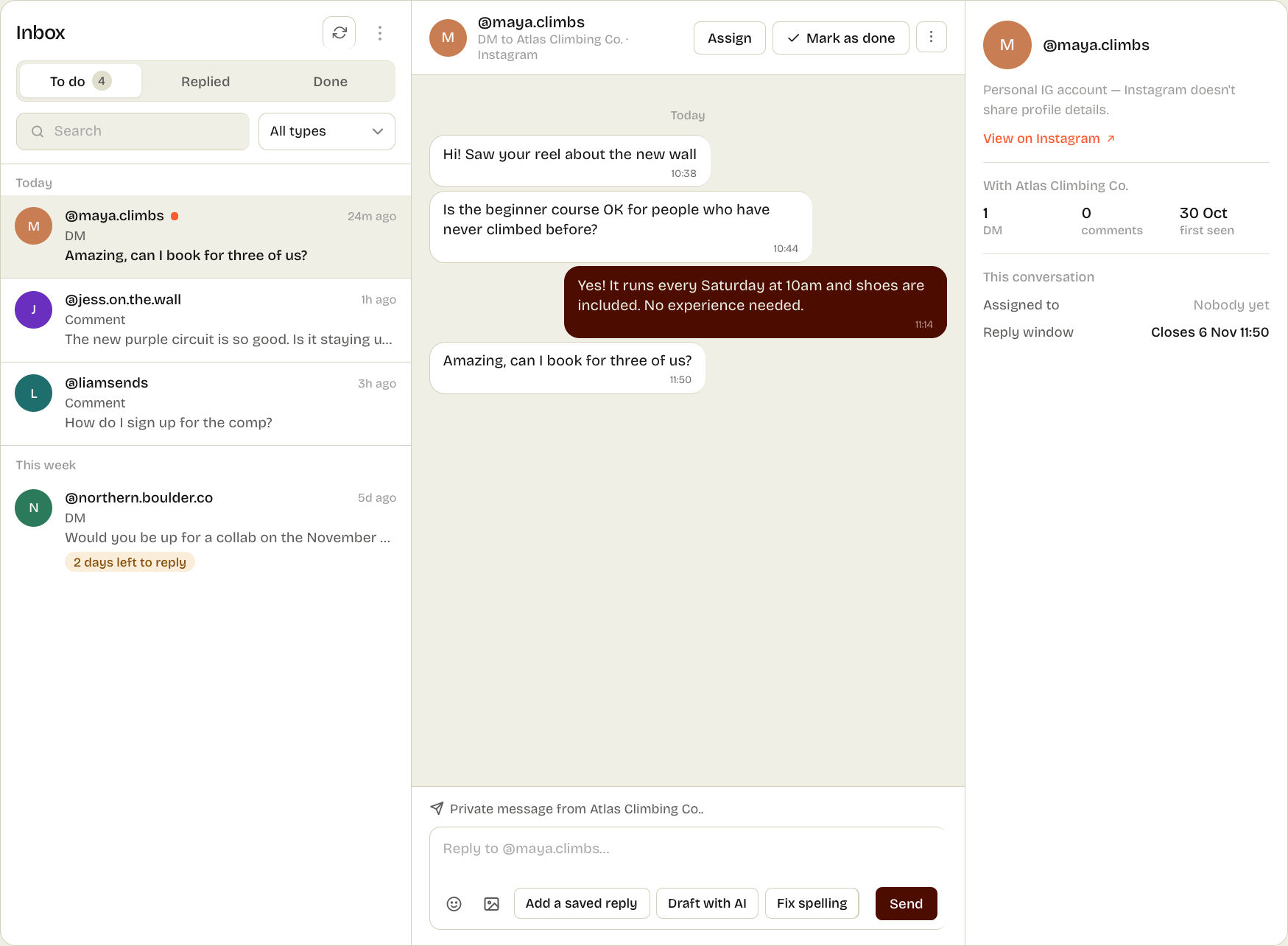
The inbox brings a client's comments and direct messages into Koda, so you can read and answer them without logging in to each account. You'll find it under Inbox (under Daily in the client sidebar), and an all-clients version on your dashboard.
What shows up in the inbox
| Type | What you see | What needs to be connected |
|---|---|---|
| Instagram comments | Comments on the client's 12 most recent posts | Instagram, either through the Facebook Page or with Instagram login |
| Instagram DMs | Messages, photos, videos, voice messages, shared posts, story replies and story mentions | Instagram messaging |
| Messenger DMs | Messages sent to the client's Facebook Page | The Facebook Page |
If Instagram is connected through the Facebook Page, DMs need one extra step: open Integrations (under Setup in the client sidebar) and click Connect Instagram messaging. If you connected with Instagram login, DMs are already included. See Connect Instagram for the details.
To do, Replied and Done
Every conversation sits in one of three tabs at the top of the inbox.
- To do: anything that still needs you. That's a conversation with unread messages, one nobody has replied to yet, or one assigned to you. The number on this tab matches the badge on Inbox in the sidebar.
- Replied: conversations you've answered. They wait here until you mark them as done.
- Done: conversations you've marked as done. If the person sends a new DM, the conversation moves back to To do.
Opening a DM marks it read in Koda only. The person doesn't get a read receipt unless you choose Mark as seen on Instagram from the conversation's menu.
Finding a conversation
- Type in Search to match message text, the sender's handle or the client's name.
- Use the type menu to switch between All types, Comments and DMs.
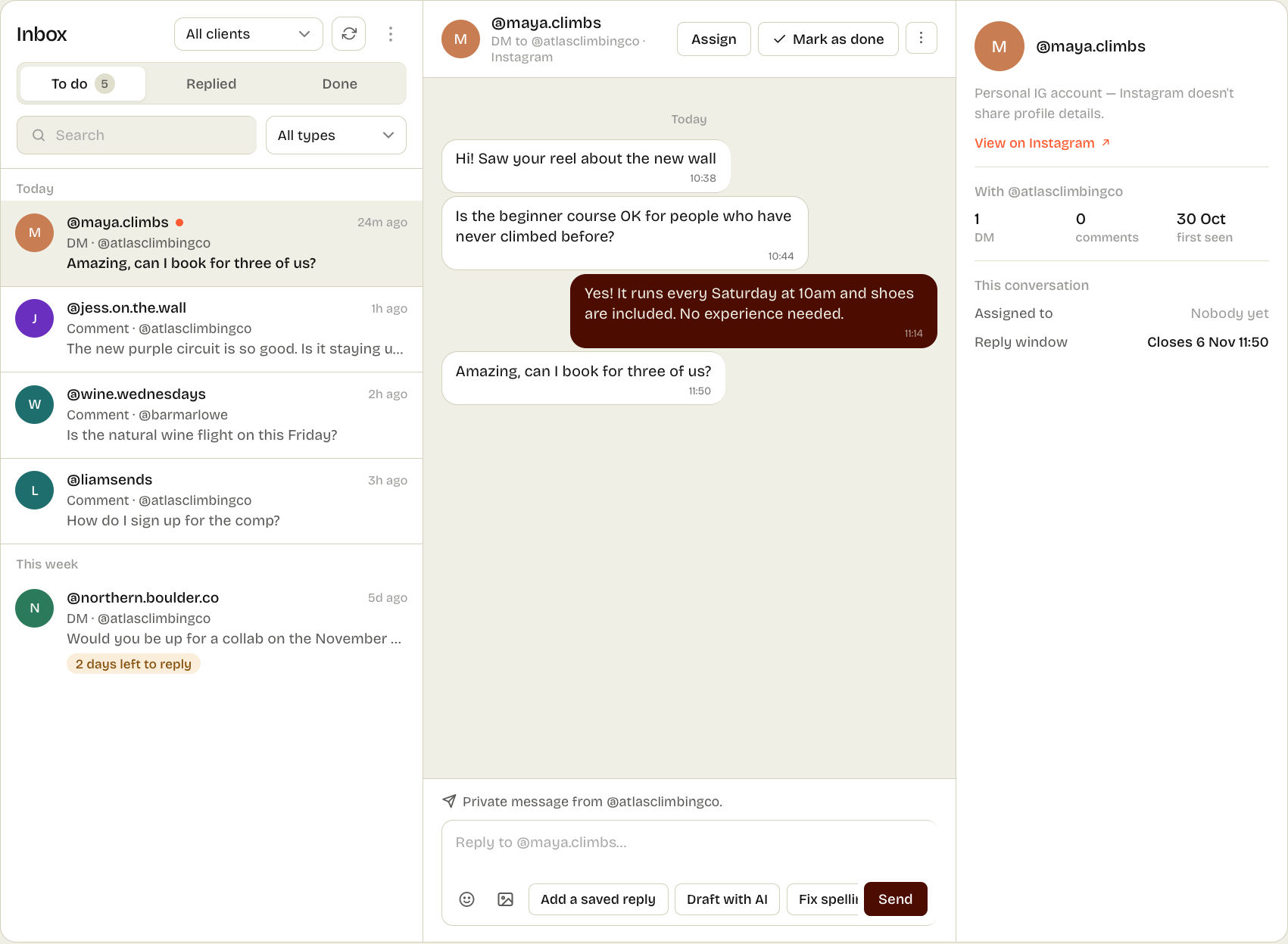
- On the dashboard inbox, use the All clients menu to narrow the list to one client.
- Click Clear filters to get back to the full list.
Rows are grouped as Assigned to you, Pinned, then by date. The right-hand panel shows the sender's public profile (for business and creator accounts), how many DMs and comments they've sent this client, and their other recent conversations.
The dashboard inbox
On your dashboard, click the Inbox tab beside Calendar to see every client's conversations in one list. Each row names the account it was sent to. Staff only see clients they have access to.
Alerts for new messages
While you're working in a client, Koda shows a small popup and plays a quiet chime when a new DM or comment arrives. To turn either off, open Account settings from your name in the sidebar and untick Inbox popup or Notification sound under Notifications.
Client viewers don't see the inbox.
Still stuck? Email [email protected] and we'll help.