
Content creation
Brand memory
How Koda's brand memory is written, how it learns from ratings, edits and published posts, and how to refine, edit or restore it.
Brand memory is a short written summary of a client's voice, audience and rules. It's the core of what Brand intelligence reads before it writes a caption, shoot plan, idea or inbox reply. Koda writes it for you and keeps it up to date, but you can check and correct it at any time.
Find it at the bottom of the Brand tab (under Setup in the client sidebar), in the Brand memory row. It's closed by default. Click it to open.
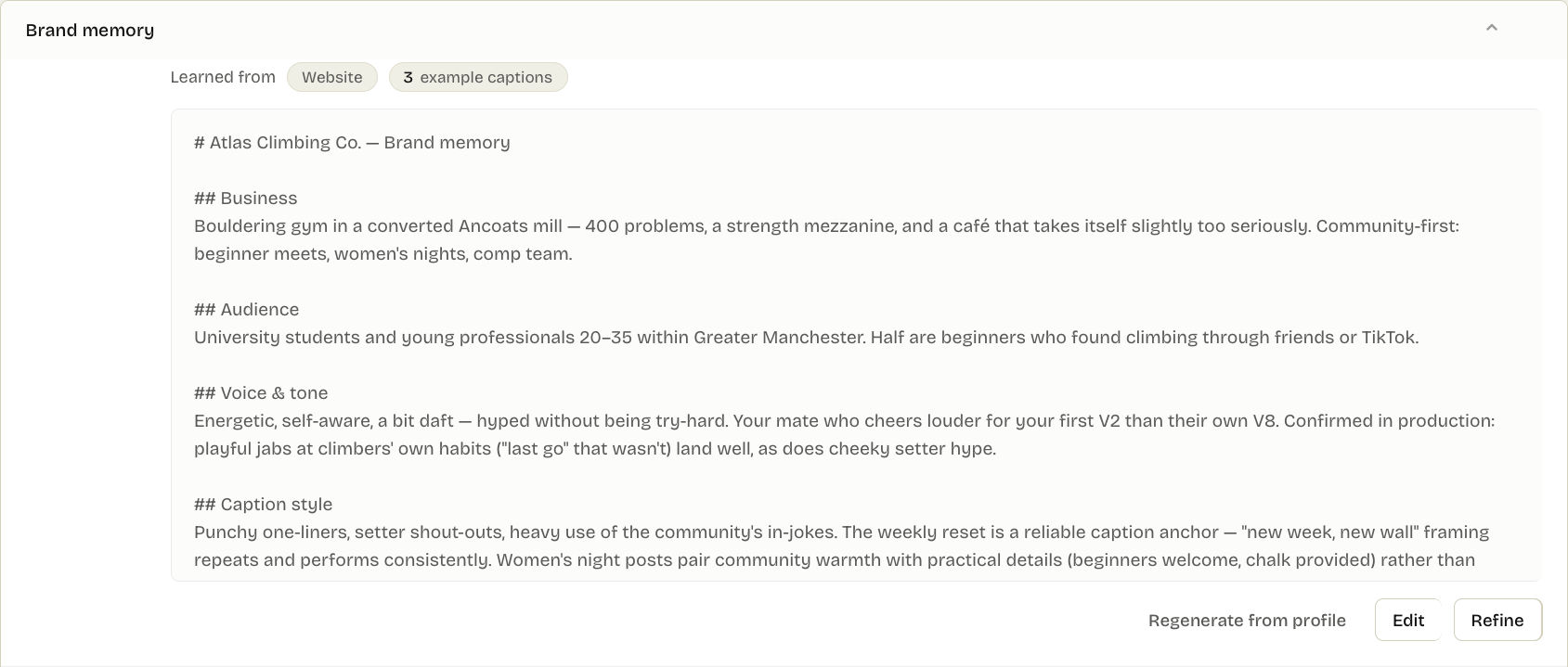
How it's written
The first version is written from the client's profile: the Details rows, website and example captions. Above the text, Learned from lists the sources Koda has for this client, such as the website, example captions, rated captions and documents.
After that it changes in four ways:
- Automatically. Koda refines it in the background when there's something new to learn from, at most every six hours. Version history labels these Auto-learned.
- From the profile. When you change the Details and move to another tab, it's rewritten from the profile. Or click Regenerate from profile to do it now.
- Refine. You ask Koda to update it from recent activity, and review the result before it's saved.
- Edit. You change the text yourself.
What it learns from
Refining looks at the last 90 days:
- captions your team rated 4 or 5 stars, and the 1 and 2 star ones, which go into a "what to avoid" section
- edits your team made to AI drafts before saving them
- captions of posts the client has published
- the hashtags that show up most in well-rated captions
- if Instagram is connected, the client's posts with the most saves and shares
Real activity wins. If a signal contradicts what the memory says, the refine goes with the signal. Collab posts authored by someone else are left out so their voice doesn't creep in.
The What's working row shows a summary of these signals: rated captions, the published mix and Hashtags landing well.
Refine it yourself
- Open the Brand memory row and click Refine. It usually takes 10 to 20 seconds.
- The Proposed brand memory window shows the Current memory beside the Proposed (editable) one.
- Edit the proposal if you like, then click Apply proposed memory.
If there's nothing to learn from yet, Koda says so. Rate some captions or publish some posts first.
Edit it by hand
Click Edit, change the text, then click Save. Keep it short and factual. It's read on every AI request for the client.
Version history
Every time the memory changes, the previous version is saved. Open Version history to see each one, labelled From profile, Manual edit, Refined, Auto-learned or Restored, with when and who. Click Restore this version to bring one back. Your current memory is saved to history first, so restoring can be undone.
Still stuck? Email [email protected] and we'll help.