
Billing
Plans and pricing
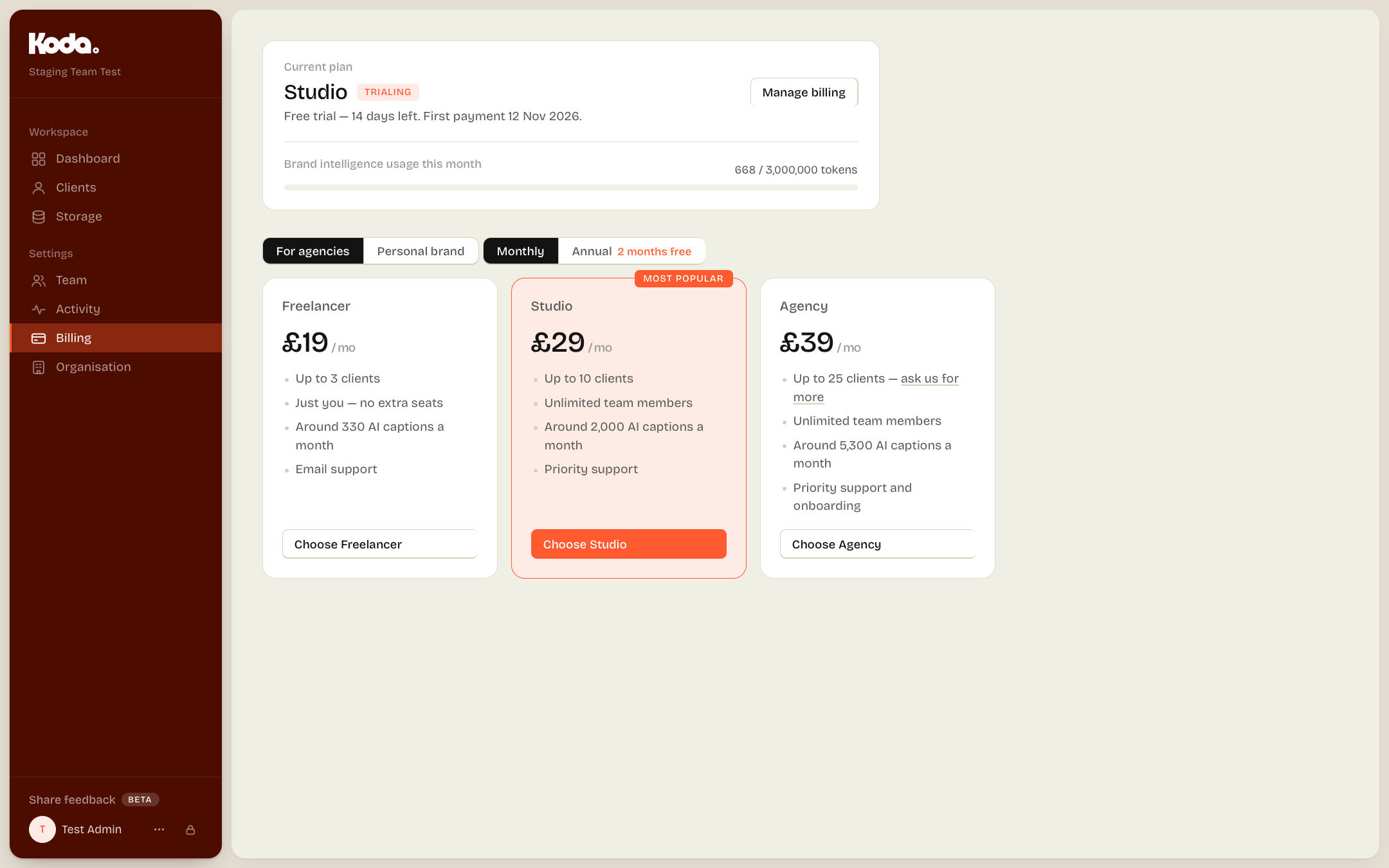
Koda's four plans, what each costs monthly and yearly, and the client, team and AI limits that come with them.
Koda has four paid plans. They all include publishing, the inbox, approvals and client reports; what changes is how many clients you can manage, how many people can join your team, and how much AI you can use each month. Every plan starts with a 14-day free trial.
The plans
| Plan | Monthly | Yearly | Clients | Team members | AI captions a month (around) |
|---|---|---|---|---|---|
| Personal | £9.99 | £99.90 | Your own profile | 2 | 200 |
| Freelancer | £19 | £190 | Up to 3 | Just you | 330 |
| Studio | £29 | £290 | Up to 10 | Unlimited | 2,000 |
| Agency | £39 | £390 | Up to 25 | Unlimited | 5,300 |
Studio and Agency also come with priority support, and Agency adds onboarding. Studio is the most popular plan.
Paying yearly gets you two months free compared with paying monthly.
Which plan fits
- Personal is for managing your own brand rather than clients. Koda treats you as the single client, so menus say "profile" where they'd normally say "client".
- Freelancer suits a solo social media manager with a few clients. It's one seat, so you can't invite a team.
- Studio suits a small team or a freelancer with a growing client list.
- Agency is for larger client lists. Need more than 25 clients? Email [email protected] and ask.
What counts towards the limits
- Clients: every client in your organisation counts, whatever their status. Paused or churned clients still use a slot. When you hit your limit, Koda won't let you add another until you upgrade.
- Team members: admins and staff, including invites that haven't been accepted yet. Client viewers don't count, so you can invite as many of your clients as you like. See Team.
- AI usage: AI features such as captions, hashtags and ideas draw from one monthly allowance for your organisation, shown as Brand intelligence usage this month on the Billing page. The caption numbers above are a rough guide to what it covers.
When you run out of AI usage
The allowance resets at the start of each calendar month. If you use it all, AI features stop with a message saying you've reached your monthly limit, and you can upgrade or wait for the new month.
There's also a daily safety cap of about a third of your monthly allowance, so one busy day (or a runaway process) can't use up the whole month. If you hit it, try again the next day.
See your usage
Admins can see usage in two places:
- Billing (under Settings in the main sidebar) shows your plan and AI usage this month.
- Organisation shows Plan usage: clients, team members and AI usage against your plan's limits.
Still stuck? Email [email protected] and we'll help.